
Cancer profile
Your cancer profile and medical summary, ready for any doctor
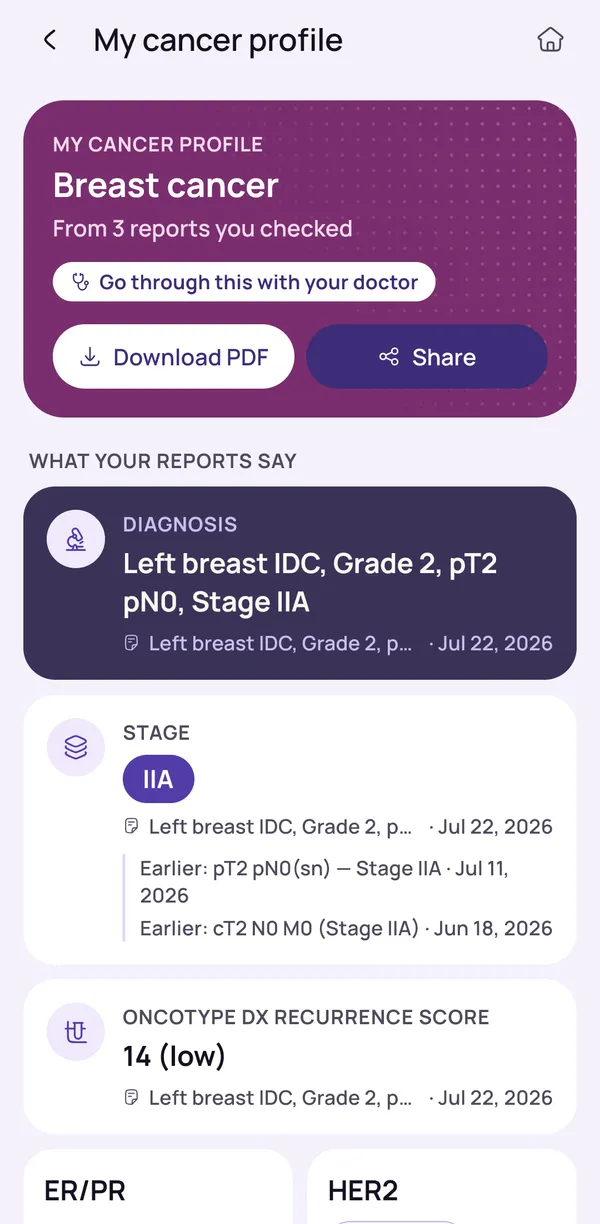
One clear summary of your whole cancer story, built from all your reports: diagnosis, stage, markers and treatment so far. Download it or share it.
What goes into your summary
Your cancer profile is one page that sums up the whole cancer story in plain words. OncoVOIS builds it from the reports you have added and checked. It brings together the diagnosis, the stage, the markers and the treatment so far, so you, your family and your oncologist can look at the same page.
The stage describes how far a cancer has spread. A marker is a measurable sign in the blood or tumour that doctors follow over time. Both can be scattered across many reports.
Which details appear depends on what your reports contain. If no report mentions the stage, the profile cannot supply one. It shows what was found and leaves the rest for your oncologist.
- Diagnosis and stage
- Markers from your tests
- Treatment so far, if your reports mention it
Where each detail comes from
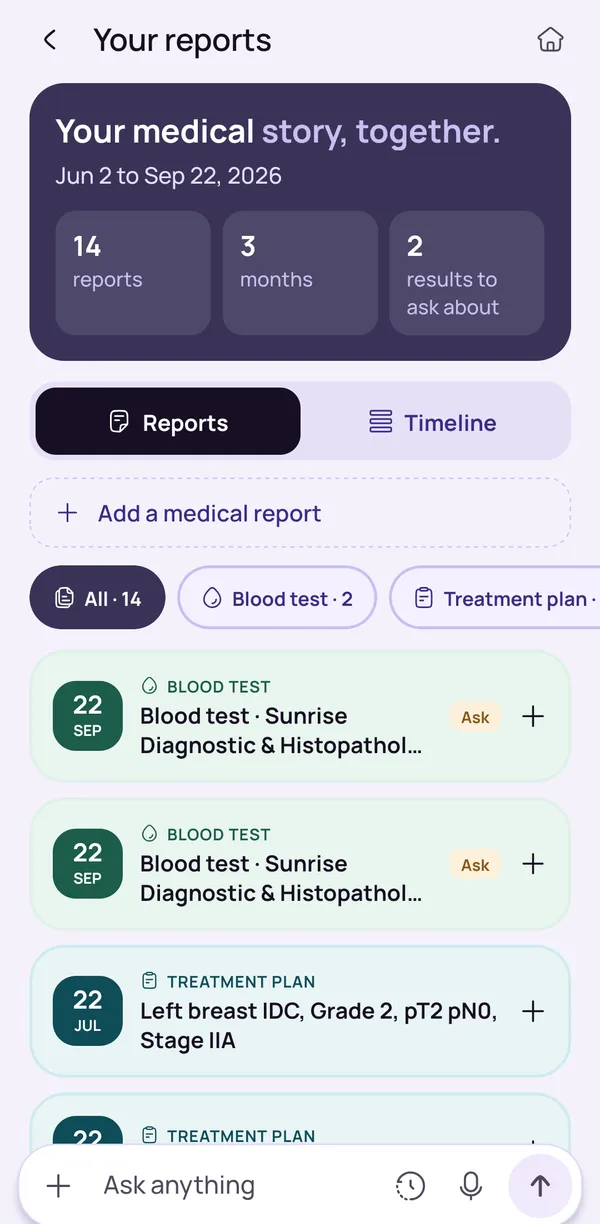
Each detail shows which report it came from. If the profile mentions a stage or a marker, you can see the report behind it and go back to the original paper or file to check.
This matters because reports can differ, scans are sometimes repeated, and details can change from one visit to the next. Seeing the source helps you and your oncologist judge whether a detail is current or comes from an older report, and it helps when a second doctor asks where a detail came from.
The profile is drawn only from the reports you added, and nothing is saved until you check and confirm what the app found. The oncologist or the hospital that issued the report can settle any difference.
- See the report behind each detail
- Check whether a detail is current or older
- Only reports you added and confirmed are used
Download as PDF or share
The profile can be downloaded as a PDF or shared, so you can send it to a doctor, a family member or a hospital help desk without retyping anything. A PDF looks the same on any phone or computer, and most hospitals can open one.
You can keep it on your phone, send it before a visit, or print it and carry it. Family members in another city can read the same page and follow the same story.
It contains personal health details, so you decide who receives it. If a doctor asks for the original reports as well, those remain the main records. The profile is a short guide to them, not a replacement for them.
- Download as a PDF
- Share with a doctor or family member
- Bring the original reports as well
When a summary helps most
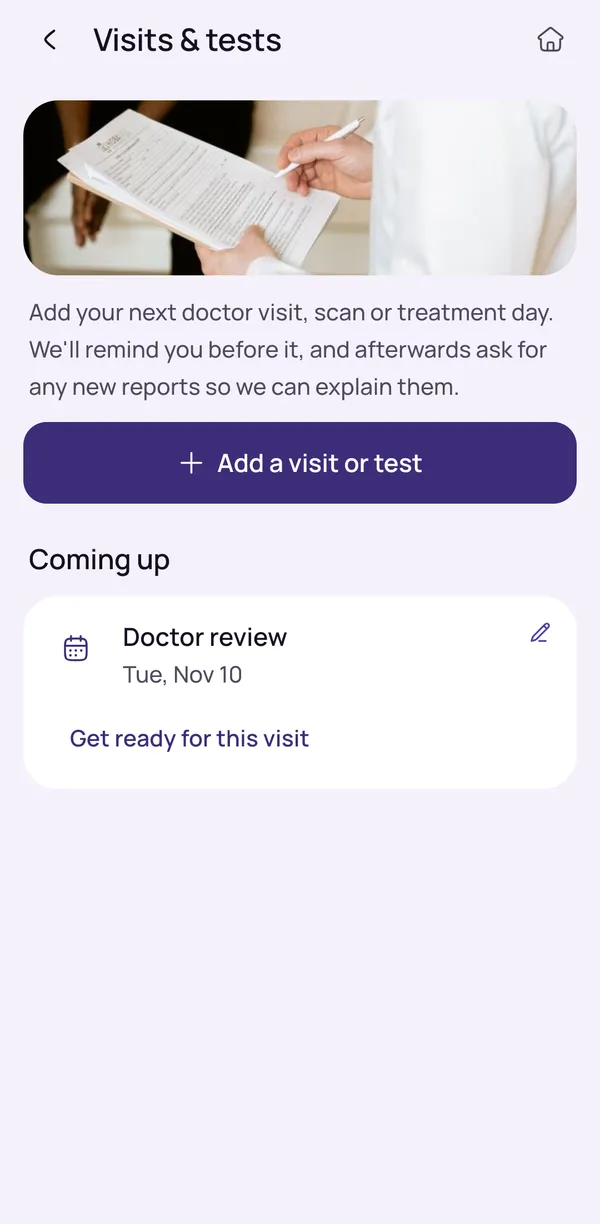
A summary helps most when someone new needs to understand your story quickly, such as a new oncologist, a doctor at another hospital, or a specialist you see for another opinion.
Instead of going through many separate reports, scans and prescriptions in a short visit, the doctor sees the diagnosis, stage, markers and treatment so far at a glance, and has more time for your questions. It also helps family members who join later and have not seen every report.
The summary does not decide what happens next. Your oncologist reads it alongside the original reports and your own examination. If the summary and a report ever seem to disagree, the report and your doctor's view come first.
- Seeing a new doctor or another hospital
- Asking for a second opinion
- Moving between cities or hospitals
- Keeping family members up to date
Check before you share
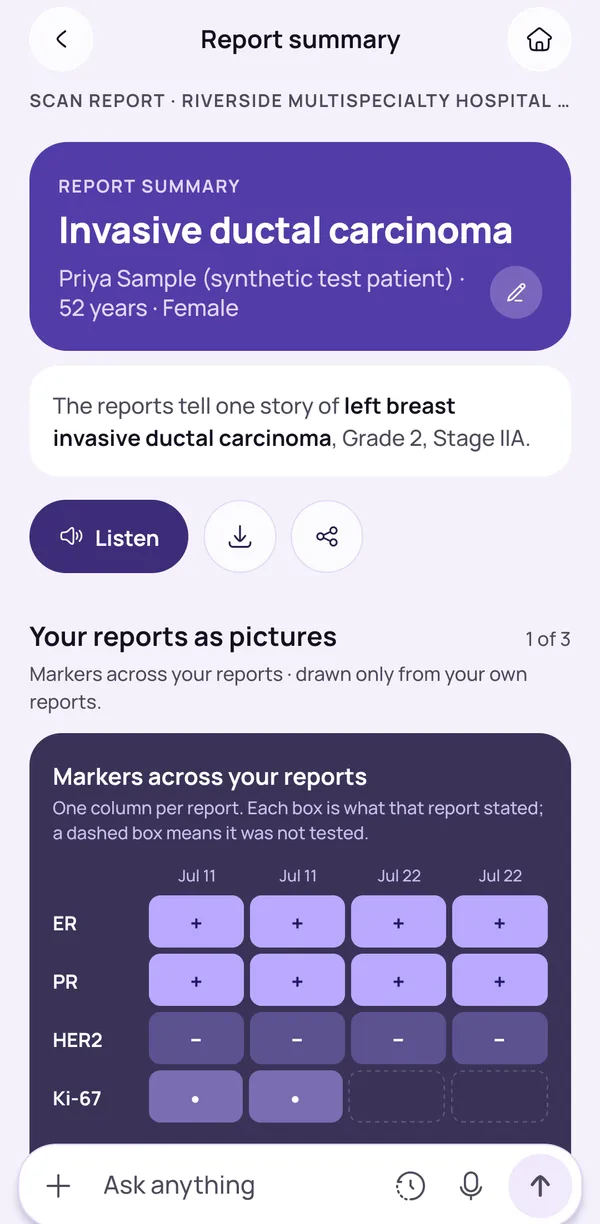
Read the profile line by line before you share it, and compare each detail with the report named next to it. Look closely at the diagnosis, the stage, the markers and the treatment list. Reports can be blurry, handwritten or laid out in an unusual way, and any reader can misread a word.
If something looks wrong or is missing, do not share it as it is, and tell your oncologist. A missing detail may be in a report you have not added yet, and adding that report can fill the gap.
The profile is a helpful summary, not a final medical record, and it does not diagnose or choose treatment. Your diagnosis and stage come from your doctors.
- If two reports disagree, show both to your oncologist
- A missing detail may be in a report not yet added
Keep reading
Read more
Plain-words guides on this topic, for patients and families.
- Plain-words guideHow to Create a Complete Cancer Medical Summary for Your OncologistWhat to put in a cancer medical summary before a new oncologist or a second opinion, the order doctors read it in, and a simple format you can copy.Read the guide
- Plain-words guideCancer Second Opinion in India: How to Ask for One and What to ShareWhen a second opinion can help, how to ask for one in India without upsetting your doctor, which reports to share and what to expect, step by step.Read the guide
Frequently asked questions
What is a cancer patient profile in OncoVOIS?
It is one page that sums up the whole cancer story in plain words. OncoVOIS builds it from the reports you have added and checked, bringing together the diagnosis, the stage, the markers and the treatment so far. Think of it as a medical summary report that you do not have to write by hand.
The stage describes how far a cancer has spread. A marker is a measurable sign in the blood or tumour that doctors follow over time. Both can be scattered across many reports, which makes them hard to find when you are tired and worried. The profile puts them in one place, so you, your family and your oncologist can look at the same page. It is a summary of what your reports say. It does not give a diagnosis, and your oncologist remains the person who explains what the details mean for you.
What goes into a medical summary for a cancer patient?
A cancer medical summary usually covers what a doctor wants to know first: the type of cancer, the stage, marker or test results, and the treatment you have had so far. The OncoVOIS profile is built around these same points, using the reports you have added and confirmed.
Which details appear depends on what your reports contain. If no report mentions the stage, for example, the profile cannot supply one. It shows what was found and leaves the rest for your oncologist. Treatment so far may include surgery, chemotherapy (medicines that act on fast-growing cells), radiotherapy or other treatment, if your reports mention them.
You can read the profile before anyone else sees it. Hard words in your report summaries come with plain explanations, and you can use Ask if a word is still unclear. For what any detail means for your treatment, your oncologist is the right person to ask.
How do I know where each detail in my summary came from?
Each detail in the profile shows which report it came from. If the profile mentions a stage or a marker, you can see the report behind it and go back to the original paper or file to check it.
This matters because a summary depends on the reports behind it. Reports can differ, scans are sometimes repeated, and details can change from one visit to the next. Seeing the source helps you and your oncologist judge whether a detail is current or comes from an older report. It also helps when a second doctor asks where a detail came from.
The profile is drawn only from the reports you added, and nothing is saved until you check and confirm what the app found. If a detail looks wrong, compare it with the report named next to it and tell your oncologist. The oncologist or the hospital that issued the report can settle any difference.
Can I download my cancer medical summary as a PDF or share it?
Yes. The profile can be downloaded as a PDF or shared, so you can send it to a doctor, a family member or a hospital help desk without retyping anything.
A PDF is a file that looks the same on any phone or computer, and most hospitals can open one. You may keep a copy on your phone, send it before a visit, or print it and carry it to the appointment. Family members in another city can read the same page and follow the same story.
Before you share, read the profile once. It contains personal health details, so you decide who receives it. The privacy policy in the app explains what is kept and why. If a doctor asks for the original reports as well, those remain the main records. The profile is a short guide to them, not a replacement for them.
When is a medical history summary most useful?
A medical history summary helps most when someone new needs to understand your story quickly. That can be a new oncologist, a doctor at a different hospital, or a specialist you see for another opinion.
Without a summary, a new doctor may have to go through many separate reports, scans and prescriptions. That takes time in a visit that is already short. A one-page summary lets the doctor see the diagnosis, stage, markers and treatment so far at a glance, and spend more of the visit on your questions. It also helps family members who join later and have not seen every report.
It is also useful if you move between cities or hospitals. The summary does not decide what happens next. Your oncologist reads it alongside the original reports and your own examination. If the summary and a report ever seem to disagree, the report and your doctor's view come first.
Why should I check the profile before sharing it with a doctor?
Because the app reads reports for you, and you know your own story best. OncoVOIS shows what it found in each report and asks you to check it. Nothing is saved until you confirm it. The same care applies before you share the profile.
Reports can be blurry, handwritten or laid out in an unusual way, and any reader, human or software, can misread a word. A wrong date or a missed detail could confuse a doctor who relies on the page. So read each line and compare it with the report named next to it. Look closely at the diagnosis, the stage, the markers and the treatment list. If something does not look right, correct it or leave it out, and tell your oncologist.
The app also says when it is not sure and asks you to confirm details. Treat the profile as a helpful summary that you have checked, not as a final medical record.
What if my cancer profile has a mistake or a detail is missing?
Do not share it as it is. Check the report named next to the detail, and correct the detail if the app misread it. If the information is simply not there, it may be because no report you have added mentions it yet.
The profile is built only from the reports you have added. If a scan, a biopsy report or a treatment note has not been added, its details will not appear. Adding that report can fill the gap, and the app will show what it found for you to confirm. Some details, such as the exact stage, may not be written in any report. In that case your oncologist is the right person to ask.
If two reports seem to disagree, show both to your oncologist rather than choosing one yourself. The app does not decide which report is right. Write the question down for your next visit so you do not forget it.
Can I delete my profile and reports from the app?
Yes. You can download a copy of your data and delete all your data from the app at any time. The profile is built from your saved reports, so deleting your data removes the reports it draws on.
The first reports can be read without making an account. Signing in is needed to keep reports saved. If you would like a record before you delete anything, download the profile as a PDF first, or download a copy of your data.
The privacy policy in the app explains what is kept and why, and it is worth reading if you are unsure. It is your choice who sees your cancer history. If you have already shared a PDF with a doctor or a family member, that copy stays with them, so ask them if you would like it removed from their phone or computer.
Does the profile replace my doctor's records or tell me my diagnosis?
No. The profile is a summary of what your own reports say. It does not diagnose, it does not choose treatment, and it does not replace your hospital's records or your oncologist's advice.
Your diagnosis and stage come from your doctors, who use scans, tests and a biopsy together with an examination. The app only gathers the details those reports already contain and shows where each one came from. It cannot see anything that is not in a report.
Because the profile is built from what you added, it may be less complete than your hospital file. That is why it works best as a starting point for a conversation. Bring it to your visit with the original reports, and ask your oncologist to correct anything out of date. If you are worried about a new symptom, do not wait for the app. Contact your hospital, or call 112 (ambulance 108) if it feels urgent.
This page is general information, not medical advice. OncoVOIS explains and helps you prepare; your oncologist decides about your care.