
Report summaries
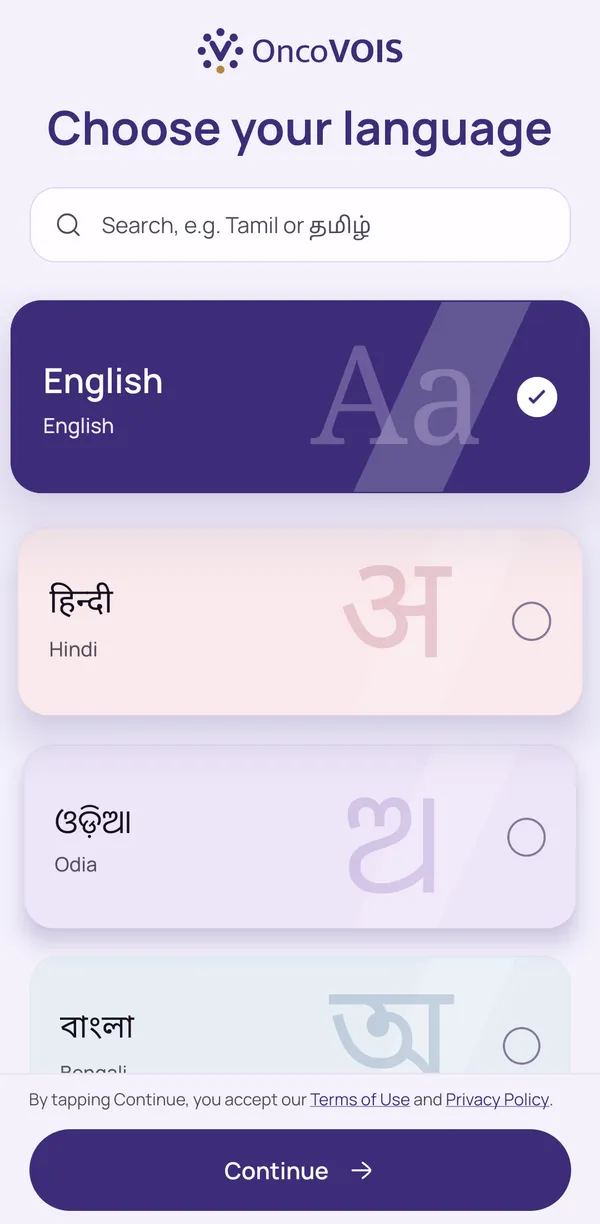
Understand Your Cancer Report in Plain Words, in Your Own Language
“A cancer report is full of words most families have never heard: margins, grade, SUV, and metastasis. OncoVOIS helps you understand your cancer report in plain words and in your own language. Add a biopsy, scan, or blood report, and the app gives you a short summary, explains each hard word, and can read it aloud. You walk into your next visit with clearer questions. Your oncologist still explains what the report means for you.”
What Your Cancer Report Summary Shows
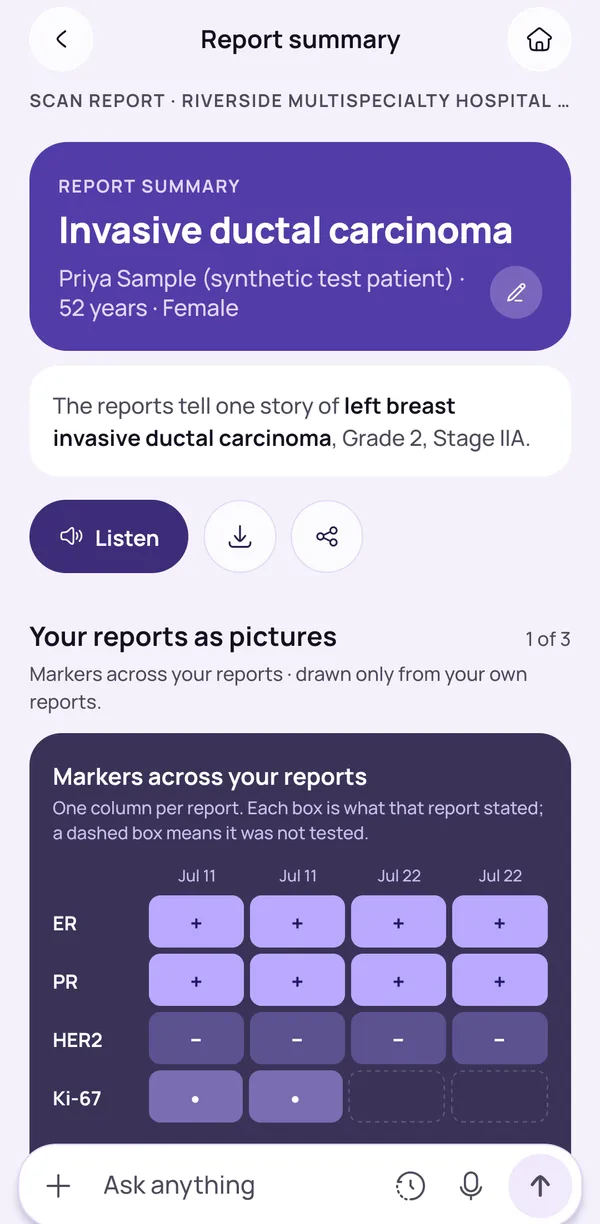
A report summary is a short note in plain words about what your report says. It picks out the main points without the long medical wording, so a family can read it in a few minutes.
It is built from the report you added and confirmed, so it follows what is on your paper. A blood test, a scan and a biopsy contain different things, so each summary will look different. Hard terms in the summary can be tapped for a short, plain explanation.
The summary is meant to help you read. It does not replace the report itself or your doctor's explanation. When a summary raises a question, write it down for your oncologist, and take the original report to the visit as well.
- The main points of the report, in plain words
- Listen to it, download it or share it with family
- Take the original report to every visit too
Understand Your Medical Report in Your Language
When a medical term appears in your summary, you can tap it, and a small panel gives two or three short, plain sentences about what the word usually means. A report may use words like margin or metastasis, and the explanation puts them in everyday language.
Many families find that a hard word frightens them more than the facts behind it, so having it explained may ease some of that fear before a visit.
This is general information, so it cannot say whether a finding is good or bad for you. Your oncologist explains what it means in your case. If a word in your report is not explained, add it to your list of questions for the next visit.
- Tap a hard word to see a short explanation
- General information, not what it means for you
- Note any unexplained words for your next visit
Listen to Your Report Summary in Your Own Language
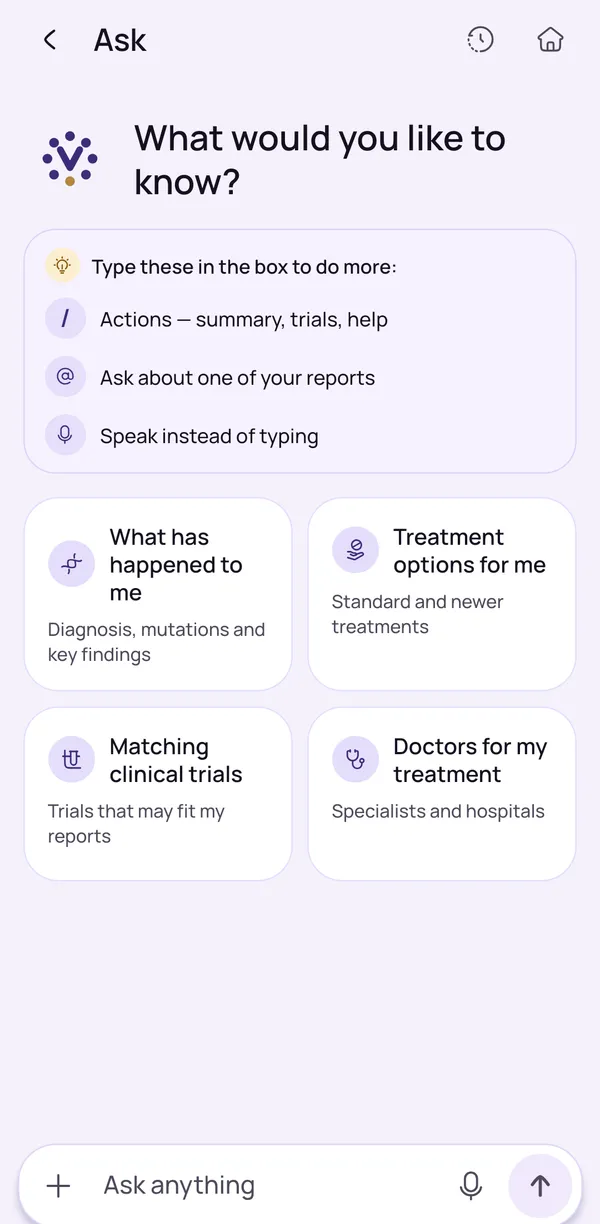
In Ask you can type or speak a question in your own language, and the answer can be read aloud. You do not have to find the right English words.
Answers use your saved reports and reviewed medical pages, and anything general is labelled as general information, so you can tell it apart from what came from your reports. If the app is not sure, it says so and asks you to confirm details.
Ask is meant for understanding, such as what a word in a report means or what a test is usually done for. It does not diagnose, and it does not tell you which treatment to take. For anything about your own treatment or symptoms, speak to your oncologist.
- Type or speak your question
- Answers can be read aloud
- General information is clearly labelled
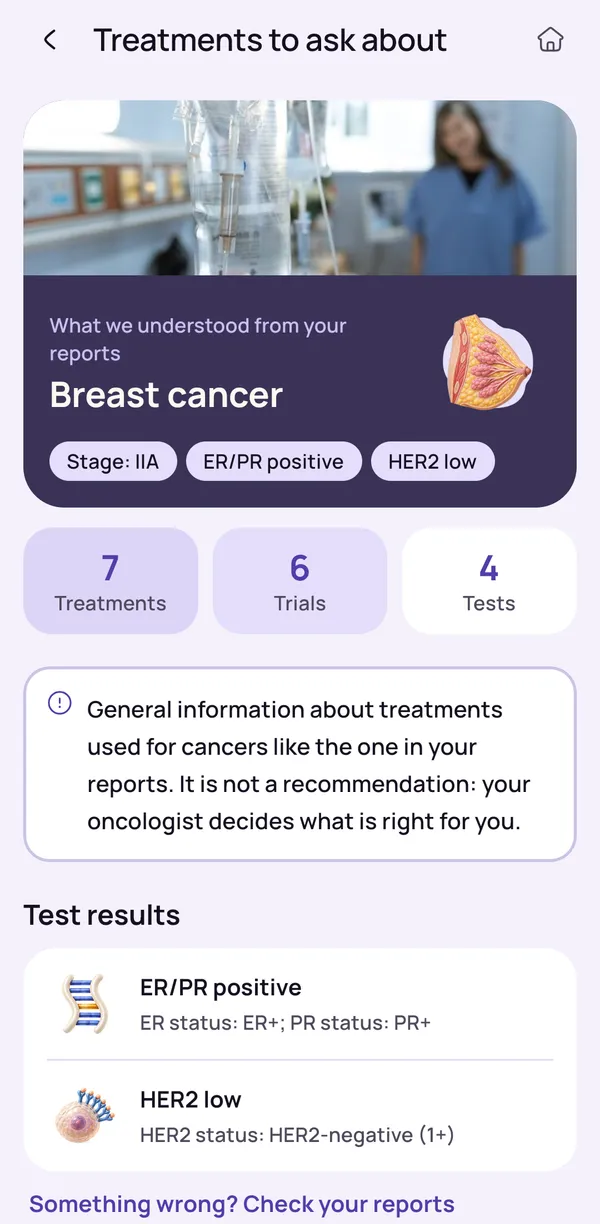
Listen to Your Report Summary
A Listen button reads the summary aloud, so you do not have to read small text on a phone screen. This can help older family members, people who find reading tiring, and families who want to listen together.
Hearing the same words at once may make it easier to agree on questions for the oncologist. Answers in Ask can also be read aloud.
What is read aloud is an explanation, in plain words, of what the report says. It is not medical advice, and it does not replace what your oncologist says about your case. If a word is read out that you do not know, tap it in the summary and note it down to ask at the visit.
- Hear the summary instead of reading small text
- Helpful for older family members
- Answers in Ask can be read aloud too
What OncoVOIS will not do
OncoVOIS explains what a report says, but it does not diagnose, say how an illness will go, or recommend any treatment. It cannot tell you whether a result is good or bad, or what you should do next.
Only your oncologist can tell you what a result means for you and decide what happens next, because they know your history, your other tests and your treatment. The same words can mean different things in different people and in different cancers.
Wording in a translated summary may sometimes read oddly. If something does not sound right, compare it with the original report and ask your hospital team. If you have urgent symptoms, call your hospital or 112 (ambulance 108) and do not wait for the app.
- Never change or stop a medicine because of the app
- If translated wording seems odd, check the original report
- Your oncologist decides about tests and treatment
Keep reading
Read more
Plain-words guides on this topic, for patients and families.
- Plain-words guideHow AI Helps You Understand Biopsy, PET-CT and Pathology ReportsWhat biopsy, PET-CT and pathology reports usually say, which lines matter most, and how AI can explain the words before you see your oncologist.Read the guide
- Plain-words guideWhat Your Biopsy Report Means: A Plain-Words Guide for Cancer PatientsWhat a biopsy report for cancer says, what words like positive, grade and margin mean, how long reports take, and what to ask your doctor next.Read the guide
- Plain-words guideHow to Read a PET-CT Scan Report in Plain WordsWhat a PET-CT scan report says, what SUV and uptake mean, how to read the impression section, and which questions to ask your oncologist afterwards.Read the guide
Frequently asked questions
How can an app help me understand my medical report?
An app can turn the hard words and numbers of a report into a short summary in plain words, so you understand what the report says before you meet your oncologist. OncoVOIS does this for the reports you add, such as biopsy, scan and blood test reports.
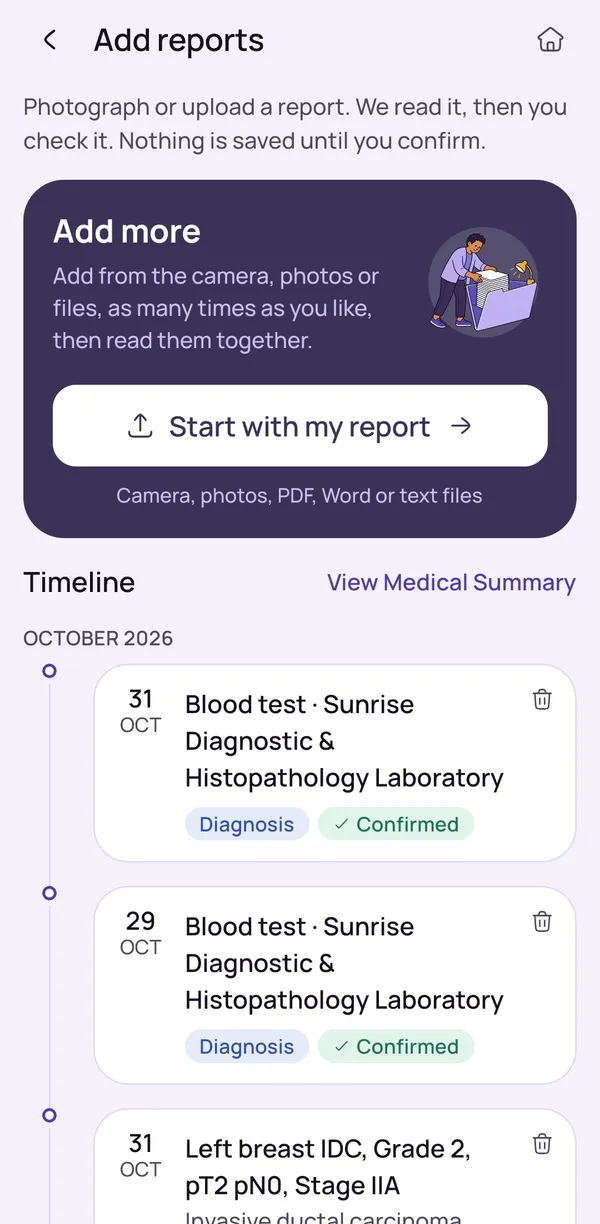
You add the report with the camera, a photo, a PDF, a Word file or a text file. The app reads it and shows what it found, and you check it. Then you get a summary in plain words, with hard words explained, and a Listen button to hear it. This can help a worried family walk into a visit with better questions. The summary explains what is written in the report. It does not tell you what the result means for you, or which treatment to choose. That is for your oncologist, who knows your full history and your other tests.
What does a report summary in OncoVOIS look like?
A report summary is a short note in plain words about what the report says. It picks out the main points of the report without the long medical wording of the original, so that a family can read it in a few minutes.
Hard terms in the summary can be tapped. A small panel then gives two or three plain sentences about that term. The summary is built from the report you added and confirmed, so it follows what is on your paper. Blood tests, scan reports and biopsy reports contain different things, so their summaries will also look different. It is meant to help you read, and it does not replace the report itself or your doctor's explanation. You can listen to it, download it or share it with family. When a summary raises a question, write it down for your oncologist, and take the original report to the visit as well.
How does the app explain hard medical words?
Hard words are explained in a plain-words glossary. When a medical term appears in your summary, you can tap it to see two or three short, plain sentences about what the term means in general.
For example, a report may use words like margin or metastasis. The explanation says what the word usually means in everyday language, not what it means for your body. Many families find that a hard word frightens them more than the facts behind it, so having it explained may ease some of that fear before a visit. The explanations are general information, so they cannot tell you whether a finding is good or bad for you. Your oncologist can explain what a term means in your own case. If a word in your report is not explained, add it to your list of questions for the next visit.
Can I listen to my medical report instead of reading it?
Yes. A Listen button reads the summary aloud, so you can hear it instead of reading small text on a phone screen. This can help older family members, people who find reading tiring, and anyone who wants to listen with the family sitting together.
You can listen to the summary of a report you have added, and answers in Ask can also be read aloud. Hearing the same words together may make it easier for the family to agree on the questions to take to the oncologist. Please remember that what is read aloud is an explanation, in plain words, of what the report says. It is not medical advice, and it does not replace what your oncologist says about your case. If a word is read out that you do not know, tap it in the summary to see a short plain explanation, and note it down to ask at the visit.
Can I ask questions about my report by voice?
Yes. In Ask you can type or speak a question, and the answer can be read aloud to you. You can ask in your own language, so you do not have to find the right English words.
Answers use your own saved reports and reviewed medical pages. Anything general is labelled as general information, so you can tell it apart from what came from your reports. If the app is not sure, it says so and asks you to confirm details. Ask is meant for understanding, such as what a word in a report means or what a test is usually done for. It does not diagnose, and it does not tell you which treatment to take. For anything about your own treatment or symptoms, speak to your oncologist. If you have urgent symptoms, call your hospital or 112 (ambulance 108) and do not wait for the app.
Will the app tell me what my report means for my cancer?
No. OncoVOIS explains what a report says in plain words, but it cannot tell you what the result means for you, whether it is good or bad, or what you should do next. Only your oncologist can say that, because they know your history, your other tests and your treatment.
A report is only one piece of the picture. The same words can mean different things in different people and in different cancers. The app can help you understand terms, see your reports together in one timeline and prepare questions. It does not diagnose, say how an illness will go or recommend any treatment. If a summary alarms you, write down what worried you and ask your oncologist at the visit, or call the hospital if you cannot wait. If you have urgent symptoms, call your hospital or 112 (ambulance 108) and do not wait for the app.
What if the summary wording in my language seems odd?
Wording in a translated summary may sometimes read oddly, and some medical terms do not have a simple everyday word in every language. If something does not sound right, do not rely on it alone. Compare it with the original report, and ask your oncologist or hospital team.
You can tap a hard term to read its plain explanation, or ask a family member to read the line with you. Sometimes a report uses an English word that has no common word in your language, so the summary keeps it. Never change a treatment, stop a medicine or delay a visit because of how a sentence in the app sounds. Ask your oncologist first. The app is a helper for understanding the words in your reports, and it may not always find the same wording that you use at home. Your own doctor explains what they mean for you, and the original report remains the record to show at every visit.
Do I need an account to get my first report explained?
Not for the first reports. The first reports can be read without an account, so you can see how the summary looks on your own report before you decide anything else. Signing in is needed to keep your reports saved.
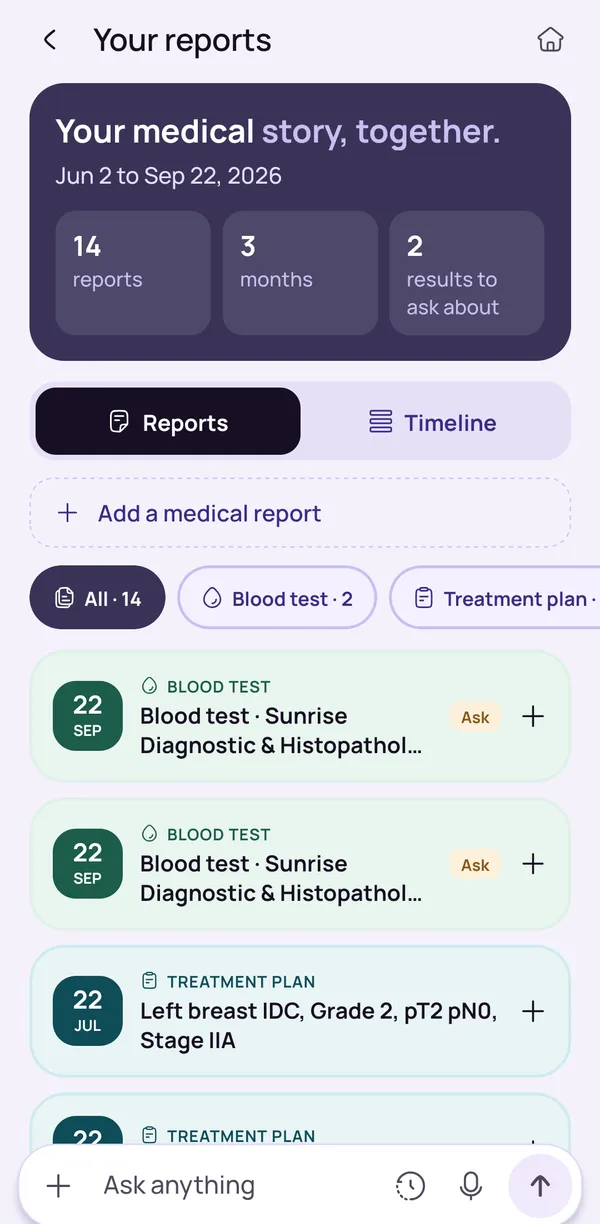
Without signing in, you can add a report, check what the app found and read the plain-words summary. To keep your reports so that they are still there next time, and to see them together in one timeline, you sign in. You can download a copy of your data and delete all of it from the app at any time. The privacy policy explains what is kept and why, so please read it before you add reports. The app is free to start. Whatever you choose, your oncologist remains the person who explains what a report means for you, so keep the original report with you at every visit.
Can I share a report summary with my family?
Yes. The summary of a report can be downloaded or shared, which lets a son, a daughter or another relative in a different city read the same plain words. It can be a good starting point for a family talk before the visit.
Take care when you share. A summary is not the original report, so bring the hospital's papers to the appointment too. Think about who should see your medical information, and share it only with people you trust. If a relative reads the summary and feels worried, remind them that it explains the words and cannot say what the result means for you, and that only the oncologist can say that. The Visit pack can also help: it is a short list of questions for the next visit that you can tick off, read aloud, download as a PDF or share with family.
This page is general information, not medical advice. OncoVOIS explains and helps you prepare; your oncologist decides about your care.